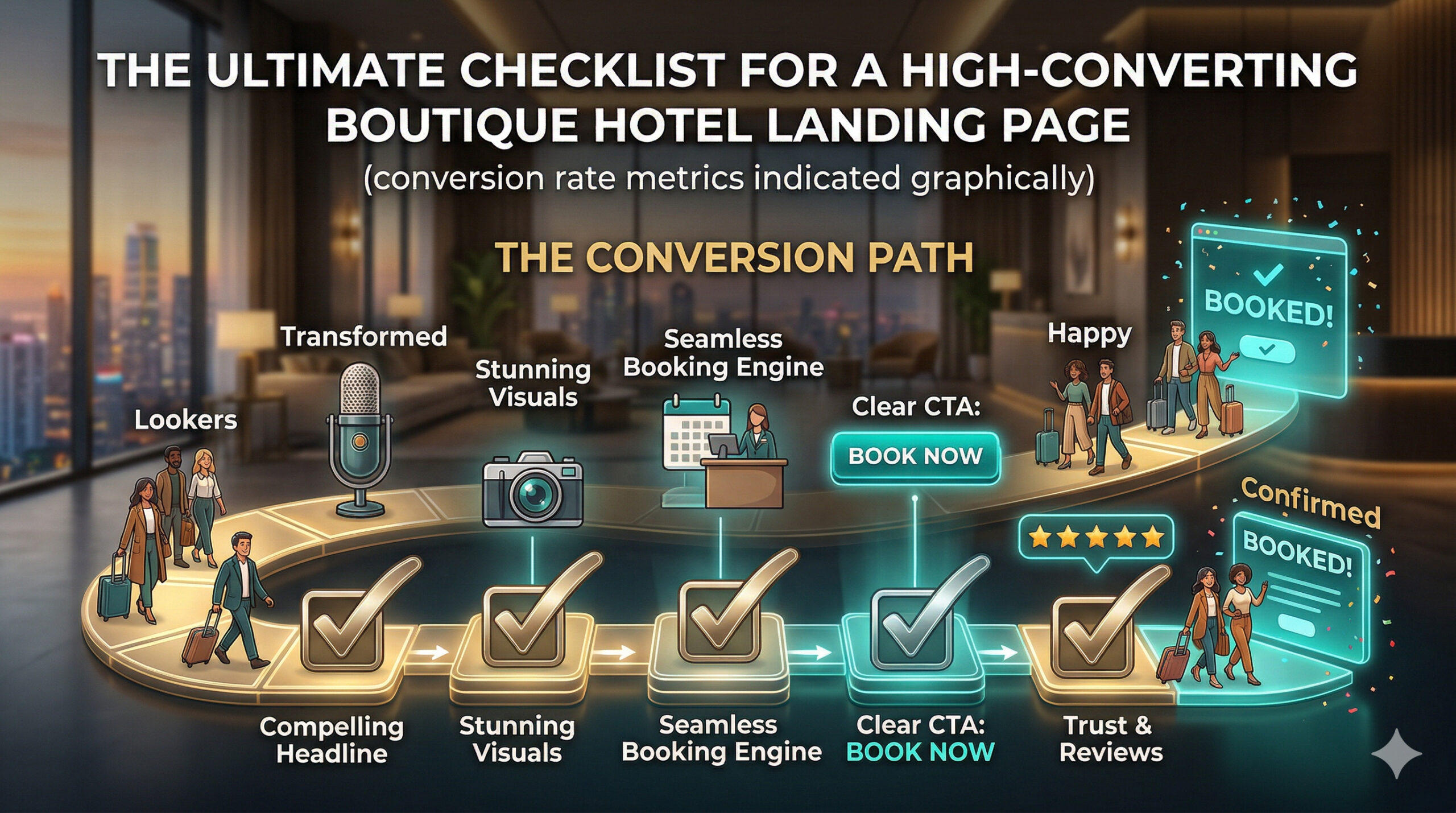
Make your boutique hotel landing page work hard for bookings. A great page greets guests, answers questions, and makes booking simple. This guide gives a clear checklist to help you create a landing page that converts visitors into guests.
This article covers design, copy, images, trust signals, booking flow, performance, and testing. Read each section and use the checklist items to improve your page. Artofthecode style means practical tips and clear steps you can apply right away.
Design
Design is the first thing a visitor notices. A clean layout helps guests focus on booking. Use clear spacing, readable fonts, and a simple color scheme that matches your brand.
Good design guides the eye to the most important elements. Make the headline, offer, and booking button stand out. Keep navigation simple so guests find the reservation area quickly.
Design must work on phones and tablets. Mobile visitors should see the booking button without scrolling far. Test on different devices and adjust spacing and font sizes as needed.
Below is a short checklist to review design elements on your landing page. Read each item and mark what needs work.
- Clear headline that states the unique experience.
- Visible booking button above the fold on mobile and desktop.
- Consistent color palette and readable fonts.
- Clean layout with enough white space around key elements.
- Simple navigation that keeps users on the landing page.
Copy and Offers
Words sell. Your copy must be short, friendly, and focused on the guest. Use plain language to describe what makes your boutique hotel special. Highlight benefits rather than long features lists.
The headline should promise a clear benefit. The subheadline can add a short proof point or detail about the stay. Use simple sentences that guide readers toward booking.
Offers drive action. A limited offer, a room upgrade, or breakfast included can push a visitor to book. Make the offer easy to understand and state any terms clearly.
Here is a focused list to make your copy and offers clearer. Use it to edit your headlines, subheadlines, and offer text.
- Headline that answers “Why stay here?” in one line.
- Subheadline with one supporting detail or proof point.
- Short benefit bullets (3 max) for quick scanning.
- Clear offer with action and simple terms.
- Brief FAQ or policy notes near the booking area to reduce doubts.
Visuals and Media
Photos and media show the guest what to expect. Use authentic images of rooms, common areas, and nearby attractions. Real photos build trust more than staged stock images.
Keep image choices consistent. Pick a style and stick with it. Aim for images that feel calm, warm, and inviting. Remove images that distract or feel out of place with your brand.
Optimize images for speed. Large files slow the page and hurt conversions. Use compressed images that still look sharp on modern screens.
Below is a simple list to audit your media. Follow each point and fix any weak areas on your page.
- High-quality photos of rooms, lobby, and amenities.
- Images sized and compressed for fast loading.
- Consistent color tone and style across photos.
- Short captions that reinforce benefits and context.
- Consider a short video or virtual tour that shows the property in one minute.
Trust Signals and Social Proof
Trust is key for reservations. Many guests check reviews, badges, and policies before they book. Show social proof clearly on your landing page to reduce hesitation.
Include recent guest reviews and star ratings. Feature a short quote from a real guest near the booking area. This gives quick reassurance to visitors who are almost ready to book.
Show any reputable badges, awards, or local certification you have. A short note about a clean policy or flexible cancellation can also increase bookings.
Use the checklist below to add or improve trust signals. Make sure each element is visible and easy to read.
- Short guest quotes with name and date where possible.
- Overall rating and review count near the booking button.
- Badges for awards, memberships, or safety standards.
- Clear cancellation and payment policies summarized in one line.
- Press mentions or local partnership names if relevant.
Booking Flow and Calls to Action
Make booking simple. Each extra step raises the chance of losing a guest. The booking flow must be short and clear from the landing page to confirmation.
Primary calls to action should be visible and repeated. Use a short label like “Book Now” or “Check Rates”. Keep button color contrasting and consistent across the page.
Reduce friction in the booking form. Ask for only essential information on the first step. Allow guests to see total price early, and show available dates clearly.
Here is a checklist to streamline your booking experience. Test each item and remove any unnecessary steps.
- Clear primary CTA above the fold and in the footer of the page.
- Short booking form with date, room type, and guest count first.
- Price transparency and taxes shown before final step.
- Auto-fill or calendar helpers to speed up input on mobile.
- Confirmation message after booking with next steps and contact info.
Technical SEO and Performance
Fast pages rank better and convert better. Slow pages frustrate guests and increase bounce rates. Aim for fast load times and clean code to help both users and search engines.
Use clear page titles and meta descriptions on each landing page. Keep URL structure simple and relevant to the property and offer. Use readable headings and alt text for images to improve accessibility and SEO.
Mobile performance is critical. Many guests browse and book from phones. Test speed on real mobile connections and prioritize quick paint times and responsive layout shifts.
Follow this checklist to improve technical quality. These items help search visibility and user experience at the same time.
- Fast server response and optimized images for quick loads.
- Unique meta title and meta description for the landing page.
- Mobile-first layout and font sizes that read well on phones.
- Accessible headings, labels, and image alt text for screen readers.
- Monitor page speed and core web vitals with regular checks.
Testing and Analytics
Track how visitors behave on the landing page. Use basic analytics to see which parts hold attention and which cause visitors to leave. Data shows what to change next.
Run A/B tests on headlines, offers, and CTA colors. Small changes can produce big lifts in bookings. Test one change at a time and keep tests long enough to get meaningful results.
Collect direct feedback from guests after booking or after a stay. Short surveys help you spot issues that data alone may miss. Combine feedback with analytics to prioritize fixes.
Use this checklist to build a testing plan. Regular testing keeps the landing page improving over time.
- Install analytics to track page views, clicks, and conversion funnels.
- Run A/B tests on headline, offer copy, and CTA placement.
- Measure mobile vs desktop performance and conversion rates.
- Collect guest feedback through short post-stay surveys.
- Review results monthly and update the checklist based on findings.
Key Takeaways
Focus on clear design, simple copy, and strong trust signals. These elements make a landing page feel safe and easy to use. Guests should quickly see the offer and find the booking button.
Speed and mobile experience are critical. Optimize images and keep forms short to reduce friction. Test regularly and use data to guide improvements.
Use the checklists in each section to audit your landing page. Work through the items step by step and measure the impact. Small changes can lead to more bookings and happier guests.
Keep the process practical and steady. At Artofthecode we recommend regular checks and small tests. Use simple language, clear visuals, and a smooth booking flow to turn visitors into guests.