Imagine a guest seeing every corner of your space before they even arrive. That clear view builds confidence and helps them choose your listing with less hesitation. This article explains how 360 virtual tours work, why guests trust them, and how to use them to boost bookings on Artofthecode and other platforms.
Why guest trust matters
Trust is the first step toward a booking. Guests who feel unsure about a property will pause, compare, or pick another option. Trust reduces friction and makes the decision to book faster and easier.
When a guest trusts a listing, they are less likely to cancel, complain, or leave a negative review. That leads to better ratings, repeat customers, and fewer disputes. Trust has real, measurable effects on occupancy and revenue.
Visual clarity plays a large role in trust. Clear photos help, but 360 virtual tours go further. Tours show layout, scale, and flow. They make the space feel familiar before the guest arrives.
For short-term rentals and hotels, trust can also lower support costs. Guests who know what to expect ask fewer basic questions. Staff spend less time on explanations and more time on pleasing guests.
What 360 virtual tours are
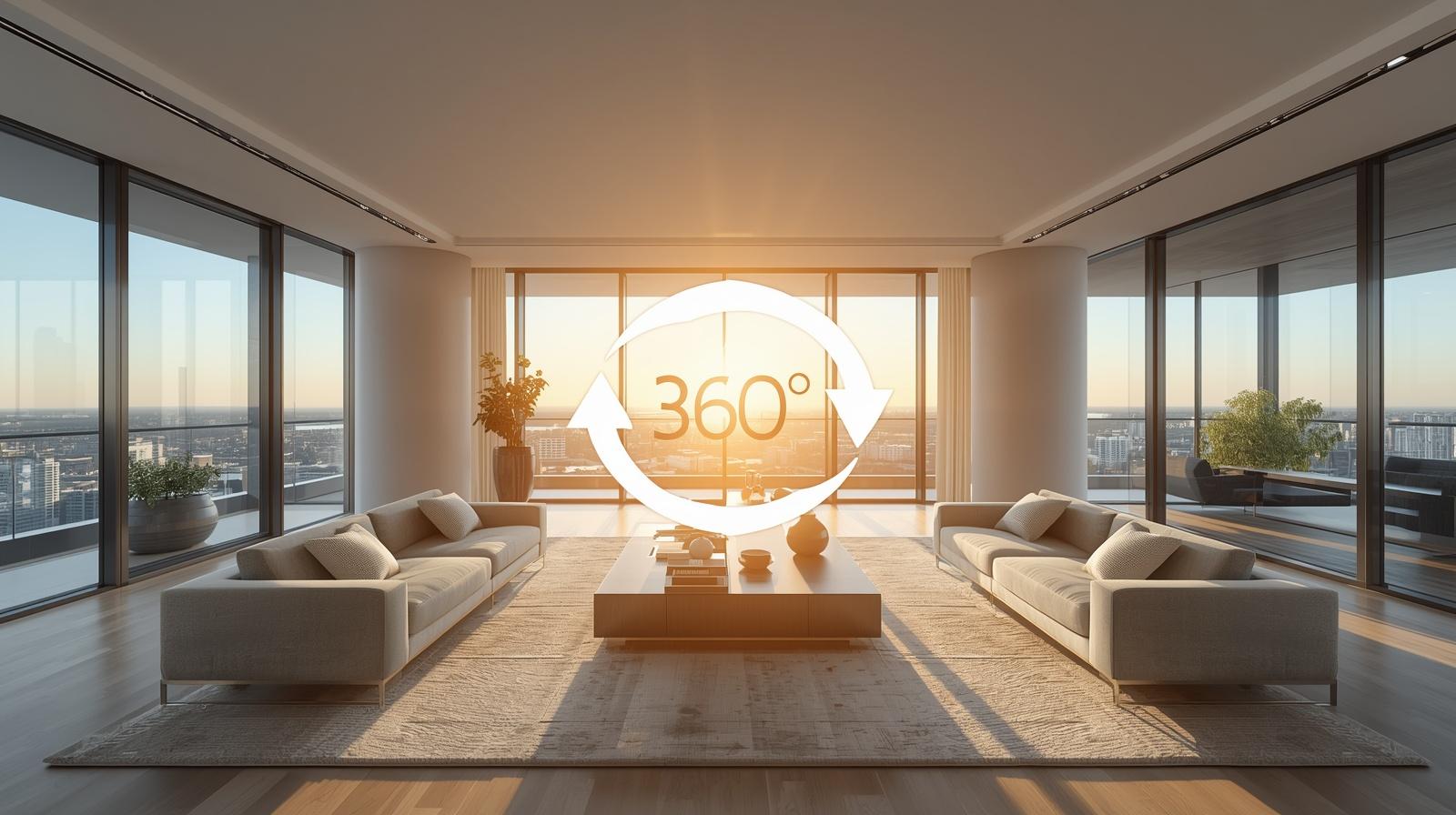
360 virtual tours are interactive views that let a person look around a space in every direction. Users can pan, tilt, and move between rooms. The effect is like standing in the room without being there.
These tours are created from stitched photos or panoramic video. The images are joined into a seamless sphere so the user can explore smoothly. Good tours keep colors accurate and edges sharp.
Many platforms offer embedded players that run in a browser on desktop or mobile. That makes tours easy to share on property pages, booking platforms, and social profiles. No special app is usually needed.
360 tours can be simple or feature-rich. Some include hotspots, floor plans, or guided paths. Others keep it minimal with a clear, high-quality view of each room. Choose the level of detail that fits your audience and budget.
How 360 tours increase bookings
Below is a clear list of practical ways 360 tours help convert visitors into booked guests. Read the lead-in sentence for context and reasons why these points matter.
Here are the main reasons tours turn lookers into bookers:
- Reduce uncertainty: Guests see the full layout and condition of the space, which lowers anxiety about surprises.
- Showcase unique features: Large windows, unusual layouts, or high-end finishes stand out more in a tour than in photos.
- Improve listing quality: Listings with interactive content often rank higher and get more clicks.
- Shorten decision time: When a guest can explore a space fully, they decide faster and complete bookings sooner.
- Attract higher-value guests: Business travelers and planners like the certainty a tour provides and may pay a premium.
Each of these benefits leads to more bookings and better guest satisfaction. The effect compounds over time. Better bookings bring better reviews, and better reviews attract more guests.
Adding a 360 tour also signals professionalism. It shows you care about transparency and guest comfort. That alone can tip the scales when a guest is choosing between similar listings.
Finally, interactive tours increase time on page. Longer engagement tells search engines your listing is relevant. That can help with organic visibility and more direct traffic.
Best practices for creating 360 tours
Before you start, think about the guest experience you want to deliver. The tour should be easy to use and represent the space honestly. A clear plan prevents common mistakes.
Follow these practical tips to create strong tours. The short lead-in explains why each point is important and how it improves the final result.
- Plan your shots: Map the rooms and pick central positions that show the most useful view. Avoid cluttered corners.
- Use consistent lighting: Shoot during the same part of the day or use balanced artificial light to avoid mismatched exposure.
- Keep the space tidy: Remove personal items and clean surfaces so guests focus on what matters.
- Include scale references: Place a chair, a table, or other familiar objects so viewers understand room size.
- Optimize resolution: High quality matters, but balance file size for smooth playback on mobile devices.
Investing time in setup and editing pays off. A polished tour looks professional and builds immediate confidence. Poor stitching or mismatched lighting can have the opposite effect.
Consider whether to add hotspots for extras like a coffee machine or safe. These small interactive points guide guests to features they might otherwise miss. Use them sparingly so the tour stays easy to use.
If you are unsure about equipment, start with a rental or hire a specialist for one shoot. After you learn the process, you can decide whether to do future updates yourself.
Integrating tours on your site and listings
Placement and presentation affect how many visitors use the tour. Put it where guests expect to find it, and make it easy to start. Simple access leads to more views and more bookings.
Use the next short paragraph as a lead-in for practical ways to embed and present tours on property pages, booking sites, and listings.
- Feature it near the top: Place the tour close to the main photos or above the fold so guests see it early.
- Mobile-friendly player: Ensure the tour works well on phones and tablets with touch controls.
- Embed on listing pages: Many booking platforms accept embedded players or direct uploads. Make it part of the listing gallery.
- Use a short note: Add one sentence explaining how the tour helps visitors explore the space.
- Offer guided views: Provide a short default path for viewers who want a quick tour and allow manual navigation for those who want to explore.
Make the tour visible in marketing emails and social posts as well. Even small exposures can bring traffic back to the listing and increase bookings. Consistent presentation keeps expectations aligned.
Keep the tour file up to date. If you change furniture or make upgrades, update the tour so guests see the current look. Old visuals that don’t match reality can hurt trust.
For sites like Artofthecode, highlight the tour in the media section and add a short caption that mentions the most attractive element, like a large garden or open-plan kitchen.
Measuring success and ROI
Track the right metrics to see if tours improve bookings. Numbers tell you what works and where to allocate resources. Good tracking helps you make data-driven choices.
Below is a short lead-in paragraph explaining the key metrics to monitor when you add a 360 tour and how each one links to bookings and revenue.
- Views and engagement: How many visitors start the tour and how long they stay inside it.
- Click-through rate: The share of visitors who view the tour and then click to book or request more info.
- Conversion rate: Bookings per visitor before and after the tour was added.
- Average booking value: Changes in price paid or length of stay after adding tours.
- Guest feedback: Mentions of the tour in reviews or direct messages that indicate trust improvement.
Compare the same date ranges before and after the tour launch. Look for trends rather than single-day spikes. Seasonal changes can confuse the data, so use matched periods where possible.
Qualitative feedback can be as valuable as numbers. If guests mention the tour helped their decision, that is a strong sign it is working. Track those comments in your review responses or guest surveys.
When you measure ROI, include production costs, time spent, and any subscriptions for hosting. Subtract those from the extra revenue attributed to the tour to see the real return.
Costs and common concerns
People often worry about cost, technical work, or whether tours will actually help. These worries are valid but usually manageable. Knowing typical costs and choices helps reduce uncertainty.
Read the short list below for a clear view of common concerns and the usual solutions property owners use to handle them.
- Upfront cost: Professional shoots have a fee, while consumer 360 cameras are cheaper but require time to learn.
- Hosting fees: Some platforms charge to host interactive tours. Factor that into your budget.
- Technical skills: Editing and stitching need some practice, but many tools are user-friendly and offer templates.
- Privacy: Remove personal items and any sensitive information before shooting to protect guests and hosts.
- Updates: If you renovate often, plan for periodic re-shoots or schedule updates after major changes.
Balancing cost with expected gains is the practical step. If the tour brings more bookings or allows higher nightly rates, it often pays for itself within a few months.
If you choose to do the tour yourself, test on one property first. That keeps risk low and helps you learn the workflow without large commitments. If you hire a pro, ask for samples and references.
Be transparent with guests. If a tour shows a future stage or a planned upgrade, state that clearly. Honest communication keeps trust strong.
Key Takeaways
360 virtual tours are a clear way to build trust and increase bookings. They let guests explore a space freely, which reduces uncertainty and speeds decision making.
Well-made tours require planning, consistent lighting, and tidy spaces. Place the tour where visitors expect it and keep it up to date. Presentation affects how many people use it.
Measure views, conversion, and guest feedback to track success. Include production and hosting costs when you calculate ROI. Small investments often yield steady gains.
On Artofthecode and other platforms, tours send a message: you care about transparency and the guest experience. That message leads to more bookings and happier guests over time.